
Adding a visual punch to your social media posts and blogs can have a huge impact. It takes, what appears to be, a bland looking page of text, and turns it into an engaging, captivating experience.
Unfortunately, if you’re not in a position to take your own industry related pictures to share, you aren’t an experienced graphic designer, or you don’t want to pay an experienced graphic designer, you’re pretty much limited to using product images from the supplier warehouse. That gets boring. It also limits your ability to connect with customers because all they see is product after product with no visual break between.
So let’s talk about that – Let’s add a new visual element to our campaigns.
…and let’s do it without paying for a service, a designer, or taking design courses.
I have a few handy – FREE – resources that I’d like to share with you. I use these same resources when I make graphics for the Facebook, title cards for courses, small graphics for blogs, etc.
I think…no…I believe that anyone can be a “graphic designer” when it comes to their small business. You just need the tools, a little confidence, and the willingness to make mistakes on your way to success. Now, to be clear, I’m not taking away from PROFESSIONAL designers. They worked hard to master their craft and they excel at what they do. Relying on a professional designer for what we’re going to do is like hiring a firefighting helicopter to water your lawn.
We’re going to discuss 3 primary concepts as we run through some resources today:
1. Finding Images
2. Enhancing Images
3. Creating Images
Let’s start with finding images. Sometimes, you just need a picture to break up the text. Something relevant to the topic, but nothing overly on-the-nose.
For example: Maybe you’re talking about some camping and hiking tips for the folks shopping on your camping and hiking website – A picture depicting an outdoor scene would look great breaking up the text.

Photo by Nathan Moore from Pexels:
…see what I mean?
Now you can’t just go and use ANY image you want to. Many images online are under copyright or trademark. You’d get in trouble for using them. So what are you to do? Where can you find some royalty-free images for use in your promotional materials?
Personally, I like Pexels. Pexels is a website where you can find tons of visual media from a wide variety or photographers and artists, around the world. The only thing they ask in return is an image credit. Just like the example, featured above, where I added a link back to the original and the photographer’s portfolio.
Pretty simple, right?
Some other image sites include Unsplash or Pixabay
These website can also offer additional resources like video or music, helping with whatever project you’re working on. Those of you who listen to the Podcast hear me talk about Pixabay Music at the end of each episode.
Now what if you found an image or took a picture and you want to add some enhancements to it? I’m not talking about filtering the image like we do with our social media selfies. I’m talking about adding text over the image, adding borders, etc.
Well, there are two really simple resources I like to use for that.
One is a classic – MS Paint. If you have a Windows computer, you have paint.
Paint is a fun little drawing tool that’s been around for a couple decades. You can import a photo into the program and draw or type right over top of it. Neat, huh?
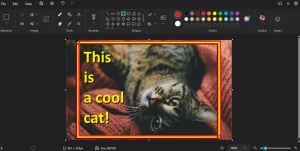
I took this cat picture and added text and a frame right on top of the image, enhancing it and making it social media worthy. Paint also allows you to resize images, crop images, and re save them in the desired image file type. Try it out.
If you’re not into the MS Paint, consider Google’s Drawing program that you can find in your drive.google.com account. …Log into your business or personal Gmail and you’ll have access.
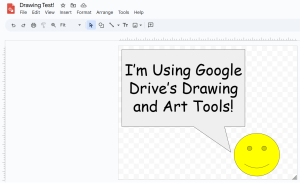
Google Drawing will allow you to do similar things to Paint, but you’ll be able to save your works to your Drive (cloud) storage and download them when you’re ready to use them. It’s another free program that is worth investigating if you’re trying to doodle up some promotional graphics.
Finally, let’s talk about ground up creation. For this, I recommend Canva.
Canva is a full-scale creative suite where you can import images, overlay graphics, text, color, etc. …You can do a lot.
Best thing about Canva is that is has a FREE use level and it’s actually really good! The overall free offerings are absolutely stunning. You’ll find visuals for almost any occasion, industry, or need.
Because they offer a free level, I encourage you to go in and mess around. See what you can find and see what you can make.
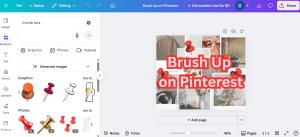
Think about a fun social media post you’d like to make. Is there a holiday or something fun (industry related) that you can talk about with your audience? What kind of post would you make? Now, let’s go to Canva and see what we can come up with. Pick a style, search some keywords, get hands on, and see what happens.
If you’re super interested, you’ll find a bunch of support videos and guides from all over the web on how to use Canva.
Whether you’re looking to make something new, add simples images, or enhance an image, these sources should have you covered. I encourage you to go check them out and see what you can come up with.